
How to Keep Your Main Number Active While Using a Travel eSIM
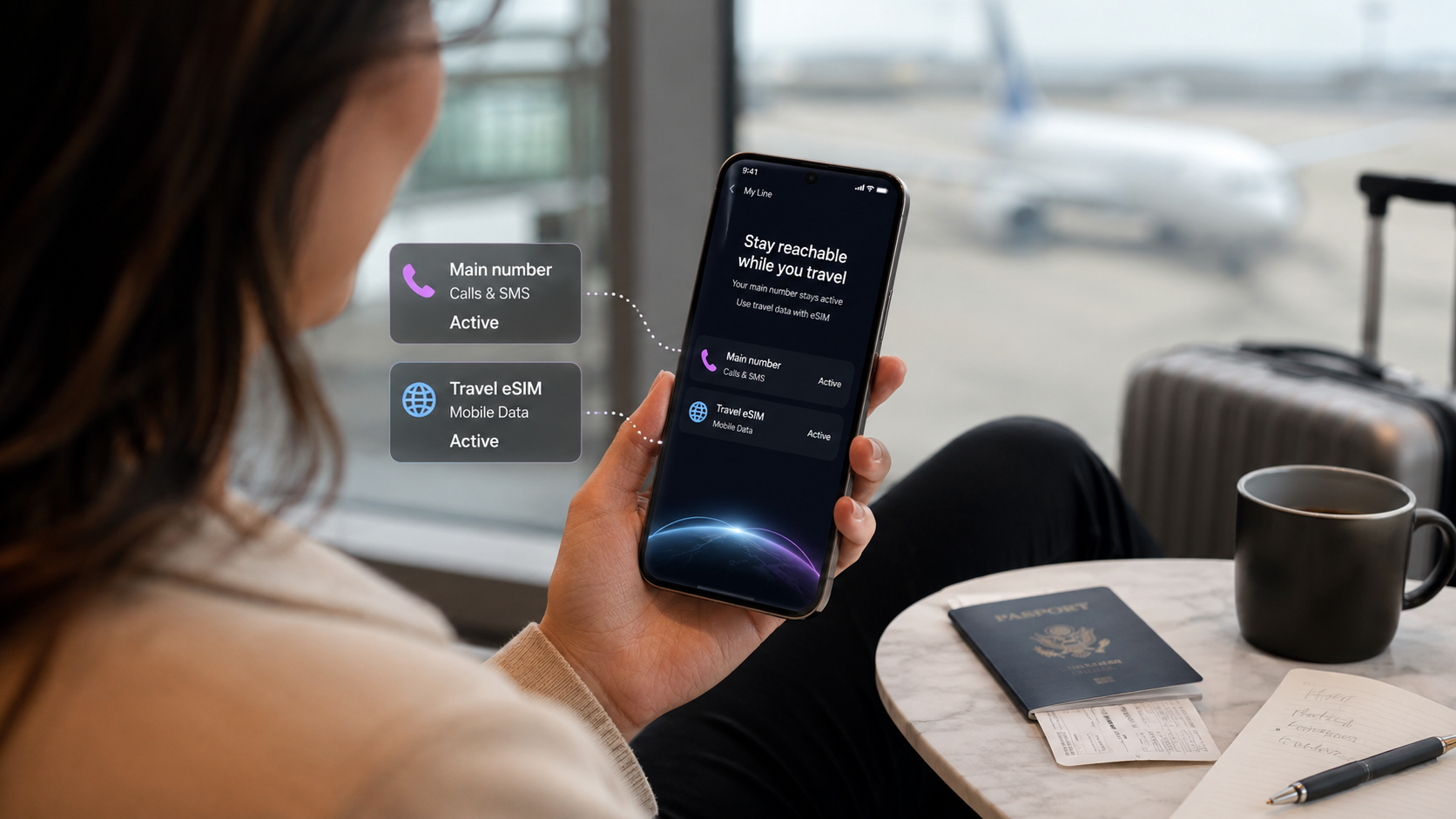
Traveler using a smartphone with main number active while connected to a travel eSIM
How to Keep Your Main Number Active While Using a Travel eSIM
One of the biggest questions travelers ask before using a travel eSIM is simple: can I keep my main phone number active while using an eSIM for mobile data abroad?
For many people, the main number is still important. You may need it for SMS verification codes, banking apps, WhatsApp, iMessage, FaceTime, work calls, family messages, two-factor authentication, or emergency contact. At the same time, you may want a travel eSIM for affordable mobile data abroad without changing your physical SIM card or relying on roaming.
The good news is that many modern phones allow you to use your regular SIM and a travel eSIM together. This means your main number can stay active while your travel eSIM handles mobile data. The key is choosing the right settings before and during your trip.
This guide explains how to keep your main number active with eSIM, how Dual SIM travel works, what to check on iPhone and Android, and how to avoid accidental roaming charges.
If you are new to eSIM technology, start with our guide explaining what a travel eSIM is and how it works.
Quick answer: can you keep your number active with a travel eSIM?
Yes, in many cases you can keep your main number active while using a travel eSIM for mobile data abroad.
This usually works if:
- Your phone supports eSIM.
- Your phone supports Dual SIM use.
- Your phone is unlocked.
- Your main SIM remains active.
- Your travel eSIM is selected for mobile data.
- Data roaming is turned off on your main line if you want to avoid roaming charges.
- Your main carrier allows calls or SMS while abroad, if you need those services.
A travel eSIM is often data-only, so it usually does not replace your main phone number. Instead, it gives your phone a separate mobile data line for internet while traveling.
Why travelers want to keep their main number active
Keeping your main number active can be important for many everyday tasks.
You may need your number for:
- Banking verification codes
- Two-factor authentication
- WhatsApp registration
- iMessage and FaceTime
- Work calls or texts
- Family communication
- Airline and hotel updates
- Emergency contact
- SMS login codes
- Account recovery messages
This is why many travelers prefer a travel eSIM over replacing their physical SIM card with a local SIM card. With the right setup, you can keep your normal number available while using a separate eSIM for mobile data abroad.
How Dual SIM travel works
Dual SIM means your phone can use two mobile lines. Depending on your phone, this can be:
- One physical SIM and one eSIM
- Two eSIMs
- One main SIM and one travel eSIM
For travel, the usual setup is simple:
- Your main SIM stays active for your normal number.
- Your travel eSIM is used for mobile data abroad.
This lets you use maps, transport apps, email, messaging apps, bookings, translation, and internet browsing through the travel eSIM, while keeping your home number available when needed.
Before choosing a plan, check your device with the duasim compatibility checker. You can also read our guide to eSIM compatible phones.
Important: keeping your number active does not always mean free calls or SMS
This is where travelers need to be careful.
Keeping your main number active means your phone can still receive or use that line, depending on your carrier and settings. But calls, SMS, voicemail, and roaming services from your main carrier may still cost money when you are abroad.
A travel eSIM helps with mobile data, but it does not control what your home carrier charges for calls or SMS.
Before traveling, check with your home provider:
- Can you receive SMS abroad for free?
- Are incoming calls charged?
- Are outgoing calls charged?
- Does voicemail trigger roaming costs?
- Does your plan include the destination?
- Are there daily roaming fees?
- Can Wi-Fi calling reduce call costs?
If you want to avoid roaming data charges, make sure your main line is not being used for mobile data.
Best setup: use your travel eSIM for data only
For most travelers, the safest setup is:
- Main SIM: keep on for your phone number
- Travel eSIM: use for mobile data
- Main SIM data roaming: off
- Travel eSIM data roaming: follow plan instructions
- Mobile data line: travel eSIM
This helps your phone use the travel eSIM for internet while keeping your main number available.
If you are mainly using WhatsApp, iMessage, FaceTime, Messenger, Telegram, email, banking apps, and maps, this setup is usually enough.
How to keep your main number active on iPhone
Menu names can vary slightly depending on iOS version and country, but the general setup is similar.
Before your trip
- Check that your iPhone supports eSIM.
- Make sure your iPhone is unlocked.
- Buy and install your travel eSIM while connected to Wi-Fi.
- Label your lines clearly, such as “Primary” and “Travel Data.”
- Keep your main line turned on if you want your number active.
If you need help with setup, follow our guide on how to install an eSIM on iPhone before you travel.
When you arrive
On iPhone:
- Open Settings.
- Tap Cellular or Mobile Data.
- Tap Cellular Data.
- Select your travel eSIM.
- Turn off Allow Cellular Data Switching if you want to prevent your iPhone from switching back to your main line for data.
- Tap your main line and turn off data roaming if you do not want roaming data from your home carrier.
- Keep your main line turned on if you still want calls or SMS available.
The goal is simple: your travel eSIM should handle mobile data, while your main number stays available for important communication.
How to keep your main number active on Android
Android settings vary by brand, but the principle is the same. You want your travel eSIM to be the preferred SIM for mobile data.
Before your trip
- Check that your Android phone supports eSIM.
- Make sure your phone is unlocked.
- Install your travel eSIM while connected to Wi-Fi.
- Label your travel eSIM clearly.
- Keep your main SIM active if you want your number available.
If you need help with setup, read how to activate an eSIM on Android.
General Android settings
Look for settings such as:
- SIMs
- SIM Manager
- SIM card manager
- Mobile Network
- Preferred SIM
- Mobile data
- Calls
- Messages
Set your travel eSIM as the preferred SIM for mobile data. Keep your main SIM selected for calls and SMS if you want your normal number active.
Samsung: using your main number and travel eSIM
On Samsung Galaxy phones, the settings are usually under SIM Manager.
Try this:
- Open Settings.
- Tap Connections.
- Tap SIM manager or SIM card manager.
- Make sure your main SIM is turned on.
- Make sure your travel eSIM is turned on.
- Set your travel eSIM as the preferred SIM for mobile data.
- Keep your main SIM for calls and messages if needed.
- Turn off data roaming on your main SIM if you want to avoid roaming data charges.
Some Samsung menu names can vary, so check your exact model if you cannot find the same wording.
Google Pixel: using your main number and travel eSIM
On Google Pixel phones, the settings are usually under Network & internet.
Try this:
- Open Settings.
- Tap Network & internet.
- Tap SIMs.
- Make sure both your main SIM and travel eSIM are available.
- Choose your travel eSIM for mobile data.
- Keep your main SIM active if you want calls or SMS.
- Turn off roaming on your main SIM if needed.
If your phone asks which SIM to use for calls, messages, or data, choose based on your travel needs. Most travelers use the travel eSIM for data and the main SIM for their normal number.
Will WhatsApp still work with a travel eSIM?
Yes, in most cases WhatsApp should continue working with your main number even if you use a travel eSIM for mobile data.
WhatsApp is tied to your registered phone number, but it uses internet data to send messages and calls. Once your travel eSIM provides mobile data, WhatsApp can continue working through that internet connection.
You normally do not need to change your WhatsApp number just because you are using a travel eSIM.
Will iMessage and FaceTime still work?
In many cases, yes. If your iPhone keeps your main line active, iMessage and FaceTime can continue using your existing number. You can also use your Apple ID email address for iMessage and FaceTime.
Before traveling, it is a good idea to check:
- Settings > Messages > Send & Receive
- Settings > FaceTime
Make sure your preferred phone number or Apple ID is selected.
If you turn off your main line completely, your number-based iMessage or FaceTime settings may behave differently. If you need your main number active, keep the main line turned on and use the travel eSIM for mobile data.
Will banking codes and SMS verification still work?
They can, but it depends on your home carrier and whether SMS works while abroad.
A travel eSIM gives you mobile data. It does not guarantee that your main carrier will deliver SMS messages abroad for free or at all. Some providers allow incoming SMS while roaming. Others may have restrictions or charges.
Before traveling, check with your home provider if SMS verification is important for:
- Banking apps
- Payment apps
- Government services
- Work logins
- Email logins
- Two-factor authentication
It is also smart to set up backup authentication methods before your trip, such as an authenticator app, backup codes, or email verification where possible.
How to avoid roaming charges while keeping your number active
To reduce the risk of unwanted roaming charges:
- Use your travel eSIM as the mobile data line.
- Turn off data roaming on your main SIM.
- Turn off automatic data switching.
- Use Wi-Fi calling if your carrier supports it.
- Avoid answering regular calls if your carrier charges for incoming calls abroad.
- Use WhatsApp, FaceTime, Messenger, or other app-based calls over data.
- Check voicemail settings before travel.
- Confirm roaming fees with your home provider.
For more detail, read our guide on how to avoid roaming charges when traveling abroad. You can also compare options in eSIM vs roaming for international travel.
Common mistakes to avoid
Mistake 1: selecting the wrong SIM for mobile data
After installing your travel eSIM, make sure it is selected as the mobile data line. If your main SIM is still selected for data, your phone may use roaming data from your home carrier.
Mistake 2: leaving automatic data switching on
Some phones can switch between SIMs automatically. This may be useful at home, but while traveling it can cause unwanted roaming if your phone switches back to your main SIM for data.
Mistake 3: turning off the main line when you still need SMS
If you need banking codes or SMS verification, do not turn off your main line unless you know you will not need it.
Mistake 4: assuming calls and SMS are free
A travel eSIM can help you control mobile data costs, but your main carrier may still charge for calls or SMS abroad.
Mistake 5: deleting the eSIM too early
Do not delete your travel eSIM until your trip is over. Some eSIMs cannot be reinstalled after deletion.
How much travel data do you need?
Your data needs depend on how you use your phone abroad.
Traveler type | Suggested data range | Best for |
|---|---|---|
Light traveler | 1GB–3GB | Maps, messages, email, light browsing |
Regular tourist | 5GB–10GB | Maps, social media, bookings, travel apps |
Business traveler | 10GB–20GB+ | Email, cloud tools, app-based calls |
Digital nomad | 20GB+ | Remote work, hotspot, uploads, video calls |
Not sure which plan size to choose? Read our guide on how much mobile data you need when traveling abroad.
How to get started with a duasim travel eSIM
A typical setup is simple:
- Open the duasim eSIM store.
- Choose your destination, region, or global plan.
- Check that the plan covers your route.
- Choose the data amount and validity that fit your trip.
- Complete secure checkout.
- Install the eSIM using the instructions provided.
- Set the eSIM as your mobile data line when you arrive.
- Keep your main number active if you need it for calls, SMS, WhatsApp, iMessage, banking, or work.
Before buying, check your phone with the duasim compatibility checker.
You can also download the duasim app to manage your eSIMs, receive data usage alerts, and keep your travel data easier to control.
For setup and product questions, visit the duasim FAQ.
FAQ: keeping your main number active with eSIM
Can I keep my main number active while using a travel eSIM?
Yes, in many cases you can keep your main number active while using a travel eSIM for mobile data. Your phone must support eSIM and Dual SIM use.
Can I use my normal SIM and an eSIM at the same time?
Many modern phones support using a normal SIM and an eSIM at the same time. This lets you keep your main number active while using the eSIM for data abroad.
Will I still receive SMS verification codes?
Possibly, but it depends on your home carrier and roaming settings. Check with your provider before travel if SMS codes are important.
Will WhatsApp still work with my normal number?
Yes, WhatsApp usually continues working with your normal number because it uses internet data after setup. Your travel eSIM can provide that data connection.
Will iMessage still work with my main number?
In many cases, yes, especially if your main line stays active. You can also use your Apple ID email address for iMessage and FaceTime.
Can I avoid roaming charges while keeping my number active?
You can reduce the risk by setting your travel eSIM as the mobile data line, turning off data roaming on your main SIM, and avoiding regular calls or SMS if your carrier charges for them abroad.
Should I turn off my main SIM while traveling?
Only if you do not need your normal number. If you need SMS codes, calls, iMessage, WhatsApp, or work contact, keep your main line active and use your travel eSIM for data.
Do I need an unlocked phone?
Yes, in most cases your phone should be unlocked and eSIM-compatible to use a travel eSIM from another provider.
Conclusion: use your travel eSIM for data and keep your number available
Keeping your main number active while using a travel eSIM is one of the biggest advantages of modern Dual SIM phones. You can keep your normal number available for SMS codes, WhatsApp, iMessage, work, family, or banking while using your travel eSIM for mobile data abroad.
The most important step is setting your phone correctly. Use your travel eSIM as the mobile data line, keep your main SIM active only for the services you need, and turn off roaming data on your main line if you want to avoid unwanted charges.
Before your next trip, browse duasim eSIM plans, check your phone with the duasim compatibility checker, and get your travel data ready before departure.